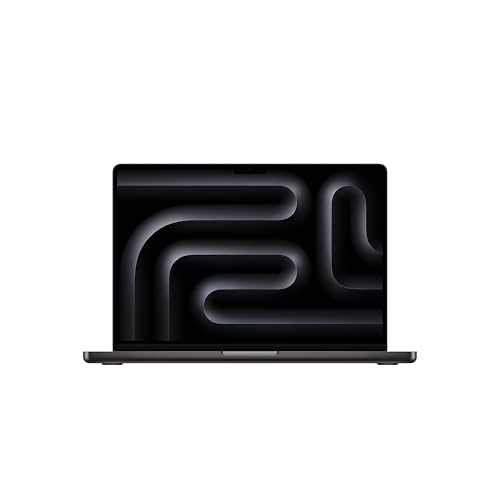
Apple’s MacBook Pro 14 is the Mac for people who do demanding work: editing video, producing music, writing code or handling big photo libraries. The listing we picked is the base model announced in late 2025 with the Apple M5 chip, a 10-core CPU, a 10-core GPU, 16GB of unified memory and a 512GB SSD in Space Black. It is not the M5 Pro or M5 Max version, and it is not the Air. We do not test products or run our own measurements, so all figures below come from Apple’s tech specs page and are attributed.
What You Are Buying
Apple’s tech specs describe the M5 chip with a 10-core CPU (4 super cores and 6 efficiency cores), a 10-core GPU and a 16-core Neural Engine. Memory options listed by Apple are 16, 24 or 32GB of unified memory, and storage options are 512GB or 1TB with configurations up to 4TB. The Amazon listing has a fixed configuration: 16GB and 512GB. Memory is part of the chip package, so you cannot add more later. If you plan to work with large video projects or many virtual machines, think about whether the base configuration leaves enough room.
Display
The display is the clearest reason to choose the Pro over the Air. Apple lists a 14.2-inch Liquid Retina XDR display at 3024 by 1964 native resolution, about 254 pixels per inch. Sustained full-screen brightness is rated at 1000 nits and peak brightness at 1600 nits for HDR content. ProMotion supports refresh rates up to 120Hz, which makes scrolling and pen or cursor movement smoother. Apple also lists a nano-texture option, but that is an Apple Store configuration and is not part of this listing unless it says so.
For photographers and video editors, an XDR screen means you can judge highlights in HDR footage on the laptop itself. For everyone else, it simply looks better than a standard laptop panel.
Ports and Connectivity
This is the other big difference from the Air. Apple lists:
- Three Thunderbolt 4 (USB-C) ports
- An HDMI port
- A MagSafe 3 charging port
- An SDXC card slot
- A 3.5 mm headphone jack
For a photographer, the card slot is a time-saver. For a presenter, HDMI means plugging into a projector without a dongle. Apple states support for up to two external displays over any combination of Thunderbolt and HDMI ports, with two displays reaching 6K at 60Hz or 4K at 144Hz and a single display reaching 8K at 60Hz, 5K at 120Hz or 4K at 240Hz. The base M5 model uses Thunderbolt 4; the faster Thunderbolt 5 ports are on the higher-end Pro and Max models, so do not expect them here.
Wireless is Wi-Fi 6E (802.11ax) and Bluetooth 5.3 on this model per Apple’s page. That is a step behind the Wi-Fi 7 found on the MacBook Air in our lineup, which matters only if you have a Wi-Fi 7 router.
Size, Weight and Battery
Apple gives the weight as 3.4 pounds, which varies by configuration, and the dimensions as 0.61 inch high, 12.31 inches wide and 8.71 inches deep. That is about 0.7 lb heavier than the 13-inch Air. It is still a laptop you can carry every day, but you will notice the difference in a bag with books.
The battery is 72.4 watt-hours, and Apple rates it for up to 24 hours of video streaming and up to 16 hours of wireless web use. As always, ratings come from Apple’s test conditions; heavy video exports or bright-screen HDR playback will drain it faster. The box includes a 70W USB-C power adapter. Apple notes that fast charging needs a 96W or higher USB Power Delivery source, which is worth knowing if you want to buy a second charger.
Apple’s tech specs page does not list cooling specifications, so we make no claim about fan design or sustained-load behavior; check Apple’s product page if that matters for your workload.
Camera, Keyboard and Everyday Use
The camera is a 12MP Center Stage camera with Desk View support, recording 1080p HD video. The keyboard is the backlit Magic Keyboard with Touch ID. Colors are Space Black and Silver. Both match the MacBook Air’s camera and keyboard.
Who Should Buy the MacBook Pro 14
- Video editors, photographers and designers who gain from the XDR screen, card slot and extra ports.
- Developers who run containers, simulators and several apps at once and want ports for monitors and devices.
- Musicians and podcasters who connect interfaces and want a bright, comfortable screen.
- Presenters and consultants who plug into projectors and conference-room screens regularly.
- People who keep laptops for years and want a better display and more ports from day one.
Who Should Skip It
- Browsing and writing users. The MacBook Air 13 (M5) is lighter and covers the basics.
- Windows-only users. If a class or job requires Windows software, a Mac is the wrong tool, and the Surface Laptop profile covers a premium Windows alternative with a touchscreen.
- Gamers. Mac game libraries are limited.
- Anyone who needs lots of storage on the base model. 512GB fills up quickly with video; plan on an external drive or a larger configuration.
macOS Considerations
Mac software covers most mainstream needs: Microsoft 365, Google Chrome, Adobe Creative Cloud, Final Cut Pro, Xcode, Docker and many developer tools. Some industry-specific software has no Mac version. Ask your employer or school for a software list before you commit. Remember that you cannot upgrade the memory later, so choose the amount you need at purchase.
What to Check on the Amazon Listing
- Chip and memory. The title should read Apple M5 with 10-core CPU and 10-core GPU, 16GB and 512GB. M5 Pro and M5 Max models are different products.
- Seller and fulfillment. Look at who sells and ships the laptop, and confirm Apple’s warranty applies to that unit.
- Color. Space Black or Silver, as the listing shows.
- Return window and protection. For a laptop you will carry daily, consider AppleCare or another plan.
Because we do not list prices on this site, use the button below to see the current price on Amazon.
Bottom Line
The 14-inch MacBook Pro with M5 gives you a brighter and smoother display, three Thunderbolt 4 ports, HDMI, a card slot and a longer battery rating than the Air, at the cost of extra weight and a higher price tier. If your work needs those things, it is the right Mac. If it does not, the Air is the better value.
See price on Amazon
See how it stacks up against eight other laptops in our 2026 laptop rankings.
Sources