We earn a commission if you buy through our links, at no extra cost to you.
Comparison
Best Laptops of 2026: 9 Models Compared
We compared the specs of 9 laptops for 2026, from the MacBook Air M5 to Windows, gaming and budget Chromebook picks, and ranked them by who each one suits.
B By the Best Laptop Guide editorial team ·Published
At a glance
Most people should start with the Apple MacBook Air 13 (M5, 2026): 2.7 lb, 16GB and 512GB, and a battery Apple rates at up to 18 hours of video streaming. The Dell 14 Plus (Core Ultra 7 256V) is the Windows alternative, the HP OmniBook 5 14 OLED (Snapdragon X Plus) adds an OLED screen, and the Apple MacBook Pro 14 (M5) adds a brighter display and more ports.
Shopping for a laptop in 2026 means choosing between four kinds of machine: a Mac, a Windows laptop with an Intel or AMD chip, a Windows laptop with an Arm chip, and a Chromebook. Add gaming laptops and a wide spread of budgets and the choice gets confusing fast. We do not test products ourselves. We compared the specs published by Apple, Dell, HP, Microsoft, Lenovo, ASUS and Acer, along with named spec databases, and ranked nine models by who each one suits. Where a maker does not state a figure for the exact configuration on the Amazon listing, we say so instead of guessing.
How We Picked and What Matters
Six questions sort the field quickly.
Operating system. macOS runs Apple’s own software and a huge range of Mac apps. Windows on an Intel or AMD (x86) chip runs nearly all Windows software. Windows on Arm, on Qualcomm Snapdragon chips, runs most everyday apps, but drivers, some games and some specialized tools can be a problem. ChromeOS runs the Chrome browser, web apps, Google Workspace and Android apps, not full Windows or Mac programs.
Chip. For web, documents, streaming and video calls, any chip in this list is fast enough. Gaming needs a dedicated graphics chip, which only the two gaming laptops here have.
Memory and storage. Sixteen gigabytes of RAM is a comfortable minimum for a laptop you plan to keep for years. Eight gigabytes is acceptable for basic use. Most of these laptops have soldered memory, so you cannot add more later. Storage is the other limit: 128GB fills up quickly.
Screen. Look at size, resolution, refresh rate and whether it is a touchscreen. OLED and 120 Hz displays look smoother but are not essential.
Battery. We quote battery ratings only as the maker states them, with the maker’s conditions. Where a maker gives no hours for the exact configuration, the table shows battery capacity or “not stated”.
Weight and ports. Weight is in pounds as listed by the maker or a named database. Ports matter if you connect monitors, cameras or older USB gear.
Model years matter too. Amazon sells several generations of the same laptop family side by side, so check the chip, memory and storage in the listing title against the configuration we describe. Some listings are sold by third-party sellers, so also check the seller and the warranty terms.
Comparison Table
#
Model
OS and chip
Memory / storage
Screen
Weight
Battery as stated
1
Apple MacBook Air 13 (M5, 2026)
macOS, Apple M5
16GB / 512GB
13.6 in., 2560x1664
2.7 lb
Up to 18 hours of video streaming, per Apple
2
Dell 14 Plus (Core Ultra 7 256V)
Windows 11 Home, Intel Core Ultra 7 256V
16GB / 1TB
14 in., 2560x1600, 120 Hz, non-touch
3.42 lb
64 Wh pack; hours not stated
3
HP OmniBook 5 14 OLED (Snapdragon X Plus)
Windows 11 on Arm, Snapdragon X Plus X1P-42-100
16GB / 1TB
14 in. OLED (1920x1200 per Notebookcheck)
2.84 lb†
59 Wh†; hours not stated for this chip
4
Apple MacBook Pro 14 (M5)
macOS, Apple M5 (10-core CPU, 10-core GPU)
16GB / 512GB
14.2 in., 3024x1964, up to 120Hz
3.4 lb
Up to 24 hours of video streaming, per Apple
5
Microsoft Surface Laptop 13.8” (2026, Snapdragon X2 Elite)
Windows 11 on Arm, Snapdragon X2 Elite
16GB / 512GB
13.8 in. touch, 2304x1536, 120 Hz
2.96 lb
Up to 20 hours of local video, per Microsoft
6
Lenovo LOQ 15 (RTX 5060)
Windows 11, Ryzen 7 250, RTX 5060
16GB / 512GB
15.6 in. FHD, 144Hz
5.29 lb
60Wh or 80Wh options per Lenovo
7
ASUS TUF Gaming A16 (RTX 5060)
Windows 11 Home, Ryzen 7 260, RTX 5060
16GB / 512GB
16 in., 1920x1200, 165Hz‡
4.85 lb
90Wh pack; hours not stated
8
Acer Chromebook Plus 514
ChromeOS, Core i3-1315U
8GB / 256GB
14 in. touch§
3.31 lb†
53Wh†; hours not stated
9
Acer Aspire Go 15
Windows 11 Home in S mode, Core i3-N305
8GB / 128GB
15.6 in., 1920x1080 IPS, 60Hz†
3.77 lb†
53.05Wh†; hours not stated
† From Notebookcheck’s database or spec sheet (for the Aspire Go 15, a sibling AG15-31P version), not from the maker’s page. ‡ Resolution and refresh rate from Notebookcheck’s FA608UM spec sheet. § The listing title gives the resolution two different ways, so confirm it on the listing.
1. Apple MacBook Air 13 (M5, 2026) — The Right Laptop for Most People
The laptop most people should start with: light, quiet and capable for school, writing and office work. Skip it only if you need Windows-only software or many ports.
What we like
Apple rates the battery at up to 18 hours of video streaming
2.7 lb body with a 13.6-inch Liquid Retina display
16GB of memory and a 512GB SSD as the standard configuration
Drawbacks
Only two Thunderbolt 4 ports plus MagSafe, and no card slot or HDMI
Runs macOS, so Windows-only software is off the table
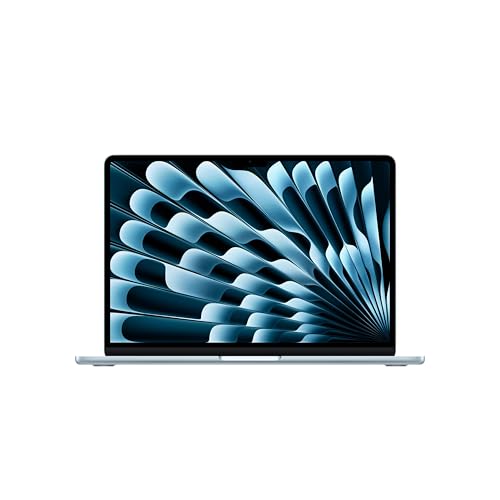
According to Apple, the MacBook Air with M5 was announced on March 3, 2026. It has a 10-core CPU, and Apple’s tech specs list 16GB of unified memory and a 512GB SSD as the standard configuration, which is the version we picked. The 13.6-inch Liquid Retina display is 2560 by 1664, the weight is 2.7 lb, and Apple rates the battery at up to 18 hours of video streaming and up to 15 hours of wireless web use. Those are Apple’s ceilings under its own conditions, so your result will depend on brightness and what you run.
It ranks first because it does the ordinary things very well and gets out of the way. It is light enough to forget in a backpack, and its memory and storage are generous for the category. The trade-offs are clear: two Thunderbolt 4 ports plus MagSafe, no HDMI, no card slot and no USB-A, so a small hub is likely if you use a lot of accessories. It also runs macOS, which rules out Windows-only software. Read the full breakdown in our MacBook Air 13 (M5, 2026) profile.
2. Dell 14 Plus (Core Ultra 7 256V) — The All-Round Windows Pick
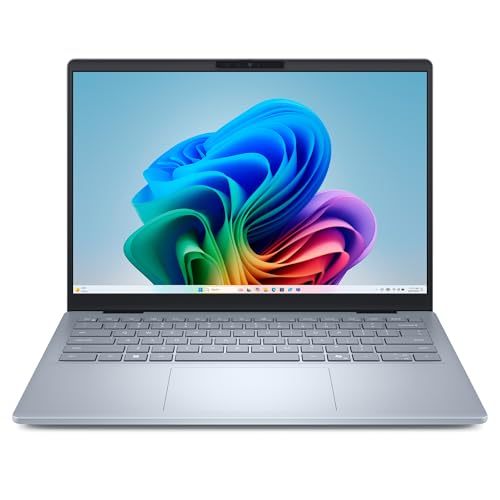
Dell’s US page lists three configurations of the 14 Plus (model DB14250), and the Amazon listing we chose matches the one with the Intel Core Ultra 7 256V, 16GB of LPDDR5X memory and a 1TB SSD. The 14-inch display is 2560x1600, 16:10, antiglare and non-touch, with a 120 Hz refresh rate. Dell lists a starting weight of 3.42 lb and a 64 Wh battery, but gives no battery-life hours for this configuration, so we do not quote any.
It ranks second because it is the simplest answer for people who want Windows. It uses a standard x86 chip, so older programs and common work tools run without emulation. The port selection is its quiet strength: Thunderbolt 4, a second USB-C port, USB-A and full-size HDMI 2.1, all without a dongle. The costs are soldered memory, a modest 300-nit screen and a weight that is average rather than featherweight. See our Dell 14 Plus profile for more.
3. HP OmniBook 5 14 OLED (Snapdragon X Plus) — OLED and Efficiency on Arm
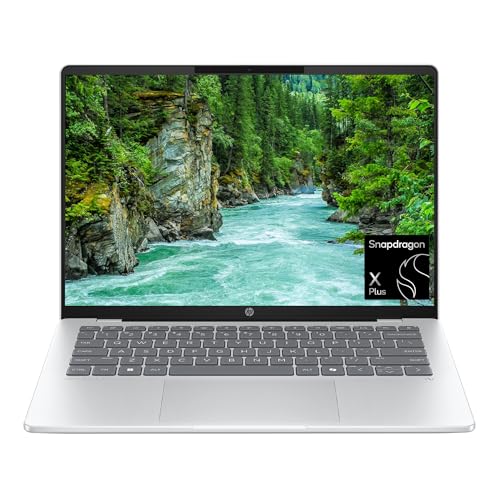
This listing pairs a Qualcomm Snapdragon X Plus X1P-42-100 with 16GB of memory, a 1TB SSD and an OLED display in a 14-inch body (model 14-he0099nr). Notebookcheck’s database lists the chip as eight cores at 3.4 GHz, the panel as 1920x1200, the weight as 2.84 lb and the battery as 59 Wh. HP’s family page makes long battery claims, but as we read it, that page does not name this chip, so we attach no hours to this model.
The big question is software. Snapdragon chips use Arm technology, and Microsoft says drivers, games and apps only work if they are designed for a Windows 11 Arm-based PC, although apps not built for Arm can run through emulation. Browsers, Microsoft 365 and Zoom are fine, but check any program your employer or school requires. If the apps check out, this is a strong mid-range pick for streaming, web work and travel, and it is a poor choice for demanding gaming. Our HP OmniBook 5 14 profile explains the details, including why you should confirm touch support and port count on the listing.
4. Apple MacBook Pro 14 (M5) — For Creators and Developers
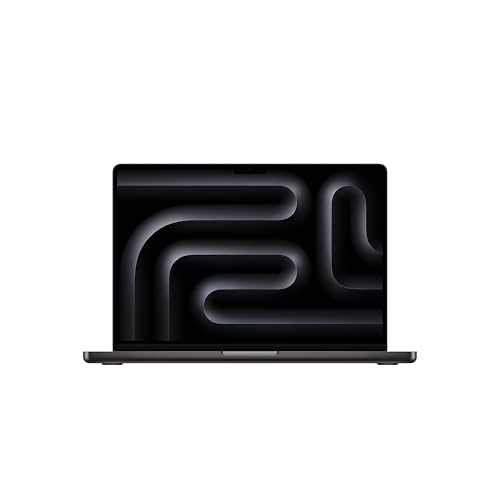
This is the base 14-inch MacBook Pro with the M5 chip, a 10-core CPU and a 10-core GPU, 16GB of unified memory and 512GB of storage. It is not the M5 Pro or M5 Max. Apple lists a 14.2-inch Liquid Retina XDR display at 3024 by 1964 with ProMotion up to 120Hz, and sustained full-screen brightness rated at 1000 nits. It has three Thunderbolt 4 ports, HDMI, an SDXC card slot and MagSafe 3, and Apple rates the battery at up to 24 hours of video streaming.
It lands fourth because it costs more in weight and money than the Air, and many buyers do not need what it adds. The Pro weighs 3.4 lb, about 0.7 lb more than the Air. Photographers, video editors, designers and developers who run many apps and connect monitors and cameras will appreciate the screen and ports. If you mostly write, browse and attend classes, the Air is enough. See our MacBook Pro 14 (M5) profile.
5. Microsoft Surface Laptop 13.8” (2026, Snapdragon X2 Elite) — A Light Touchscreen for Office Work
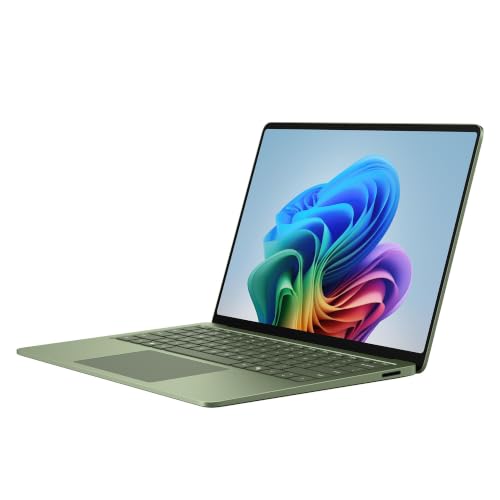
The listing is the 2026 Surface Laptop, 13.8-inch, with the Snapdragon X2 Elite, 16GB of RAM and 512GB of storage in Jade. Microsoft lists a 13.8-inch HDR PixelSense touchscreen at 2304 x 1536 and 120 Hz, a weight of 2.96 lb, and up to 20 hours of local video playback and up to 16 hours of active web browsing. Ports are two USB-C/USB4, one USB-A 3.2, a 3.5mm audio jack and a Surface Connect port. There is no HDMI or card reader.
It ranks fifth because it is more premium than the mainstream Windows picks and shares the Windows on Arm caveat with the HP. Microsoft says the Prism emulator in Windows 11 improves performance for apps not built for Arm, but specialized business tools, VPN clients, printer drivers and engineering programs deserve a check. If your software works, you get a polished, touch-enabled laptop that is nearly as light as the MacBook Air. This is not the 2024 7th Edition or the 15-inch 2026 model. See our Surface Laptop 13.8-inch (2026) profile.
6. Lenovo LOQ 15 (RTX 5060) — Mainstream Gaming at a Desk
A sensible mainstream gaming laptop for someone who plays at a desk and may upgrade RAM or storage later. Look elsewhere if you carry your laptop all day.
What we like
RTX 5060 with 8GB of GDDR7 and a 144Hz 1080p screen suit most current games
Two memory slots and two M.2 SSD slots according to Lenovo
HDMI 2.1 and a USB-C port with Power Delivery and DisplayPort
Drawbacks
Around 5.3 lb before the charger, so it is a desk-first machine
Battery life is modest, and Lenovo's figures vary widely by battery size
The listing describes a 15.6-inch Full HD 144Hz IPS screen, an AMD Ryzen 7 250, 16GB of RAM, 512GB of storage and an NVIDIA GeForce RTX 5060 with 8GB of GDDR7 (the LOQ 15AHP10). According to Lenovo, there are two DDR5 memory slots and two M.2 SSD slots, so RAM and storage can grow, and the ports include three USB-A, one USB-C with Power Delivery and DisplayPort, and HDMI 2.1. Wireless is Wi-Fi 6.
This is where weight and battery show up. Lenovo says the laptop starts at 5.29 lb, and the charger adds more. Lenovo lists 60Wh and 80Wh battery options with very different maximums, and the listing does not say which one you get. Plan to stay near an outlet when you play. It ranks sixth because gaming laptops suit fewer people than the machines above, but for a first gaming laptop at 1080p it is a sensible match. See our Lenovo LOQ 15 (RTX 5060) profile.
7. ASUS TUF Gaming A16 (RTX 5060) — Gaming on a Bigger Screen
This listing is the FA608UM-NS73: a 16-inch screen, an AMD Ryzen 7 260, a GeForce RTX 5060 Laptop GPU, 16GB of DDR5 and a 512GB SSD. Notebookcheck’s spec sheet lists the display as 16:10, 1920x1200 and 165Hz. ASUS lists a weight of 4.85 lb and a 90Wh battery, and ports that include HDMI 2.1, USB4 with DisplayPort, two USB-A at 10Gbps and an RJ45 Ethernet jack.
Model codes matter here. ASUS’s 2025 tech specs page covers many TUF Gaming A16 codes, and the FA608UP with an RTX 5070 is a different laptop from the FA608UM. It ranks seventh, just behind the LOQ, because it is the more specialized choice: bigger and heavier, with Wi-Fi 6, though it has a larger battery and wired Ethernet. Choose it if screen size matters more than portability. See our ASUS TUF Gaming A16 (RTX 5060) profile.
8. Acer Chromebook Plus 514 — The Budget Pick for Web and Homework
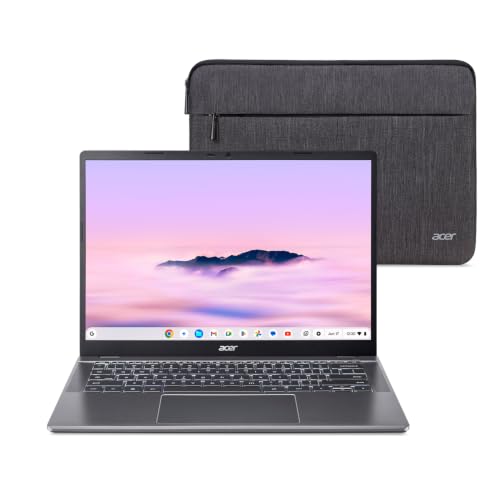
The listing is the CB514-5HT-33RD: a 14-inch touchscreen, an Intel Core i3-1315U, 8GB of memory, a 256GB SSD and Wi-Fi 7. Acer’s own page for this model would not open for us, so these details come from a published Chromebook database, which also lists a weight of 3.31 lb, two USB-C ports, two USB-A ports and HDMI. The listing title gives the resolution two different ways, so verify it before you buy.
ChromeOS suits people whose work happens in a browser, and it fits Google Classroom naturally. It does not run standard Windows or Mac programs. Every Chromebook also has an Auto Update Expiration date, after which Google stops sending updates, so check Google’s list for this model before you order. It ranks eighth because its limits are firm, but within them it is a practical, low-cost choice. See our Acer Chromebook Plus 514 profile.
9. Acer Aspire Go 15 — The Lowest-Cost Windows Laptop for Basic Tasks
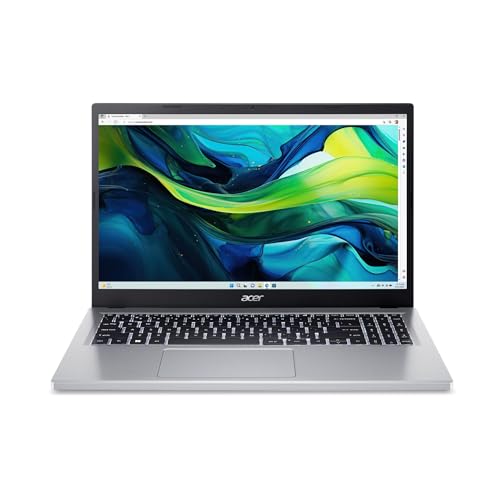
The listing is the AG15-31P-3947: a 15.6-inch Full HD IPS screen, an Intel Core i3-N305, 8GB of LPDDR5, 128GB of storage and Windows 11 Home in S mode. It is a 2024 design that is still on sale. Acer’s page for this exact model would not open for us, so figures such as the 3.77 lb weight come from Notebookcheck’s spec sheet for a sibling version with a different storage size. Treat them as a guide to the platform.
S mode only installs apps from the Microsoft Store. According to Microsoft, switching out is free but one-way. The 128GB of storage is the bigger limit, because Windows and updates take a large share, so plan on cloud storage or a USB drive. The memory is soldered. It ranks last because it is a light-use machine, not because it is poor at its job: email, documents, web pages and streaming are what it is for. See our Acer Aspire Go 15 profile.
The lowest-cost Windows laptop for basic tasks: the Acer Aspire Go 15, number 9.
By budget, we group the models by range rather than price. Budget: the Acer Chromebook Plus 514 and the Acer Aspire Go 15. Mid-range: the Dell 14 Plus, the HP OmniBook 5 14 and the two gaming laptops. Mid-range to premium: the MacBook Air 13. Premium: the MacBook Pro 14 and the Surface Laptop. Check the current price on Amazon before you decide, since prices change often around the holidays.
Conclusion
For most people, the Apple MacBook Air 13 (M5, 2026) is the one to buy: light, well equipped as standard and long-lasting by Apple’s rating. If you need Windows, the Dell 14 Plus is the dependable choice, and the HP OmniBook 5 14 and Surface Laptop are worth a look if you have confirmed that your apps run on Windows on Arm. Step up to the MacBook Pro 14 only if you need the screen and ports. Gamers should compare the Lenovo LOQ 15 and ASUS TUF Gaming A16, and shoppers on a tight budget should choose between the Chromebook and the Aspire Go based on the software they need. Whichever you pick, check the exact configuration, the seller and the warranty on the Amazon listing.
We rank the Apple MacBook Air 13 (M5, 2026) first. Apple lists 16GB of memory and a 512GB SSD as the standard configuration, a 2.7 lb weight and a battery rated at up to 18 hours of video streaming. If you need Windows, the Dell 14 Plus (Core Ultra 7 256V) is our second pick.
Is a MacBook or a Windows laptop better for college?
For most majors either works, and the MacBook Air is easy to carry across campus. Check your department first: some engineering and architecture programs require Windows-only software, and in that case an x86 Windows laptop such as the Dell 14 Plus is the safer choice.
What is Windows on Arm, and should I worry about it?
The HP OmniBook 5 14 and the Surface Laptop use Qualcomm Snapdragon chips instead of Intel or AMD. Microsoft says apps not built for Arm can run through emulation, but some drivers, games and specialized tools may not work. Browsers, Microsoft 365 and video-call apps are usually fine. Check any program your school or employer requires before you buy.
Is a gaming laptop a good everyday laptop?
It can work, but weight and battery are the trade-off. The Lenovo LOQ 15 starts at 5.29 lb according to Lenovo and the ASUS TUF Gaming A16 at 4.85 lb according to ASUS, before the charger. If you carry a laptop all day, choose a lighter model.
Is a Chromebook enough for school?
For web apps, Google Docs and Google Classroom, yes. ChromeOS does not run the standard Windows or Mac versions of programs such as Adobe Creative Cloud or SolidWorks. Also check the Auto Update Expiration date for the Chromebook model on Google's list, because updates stop on that date.
Should I buy from Amazon or directly from the maker?
Both can work, but some Amazon listings are sold by third-party sellers. Check the Sold by and Ships from lines, the exact configuration in the title and whether the maker's warranty applies to that unit.