We earn a commission if you buy through our links, at no extra cost to you.
Best Laptop for a 3D Printer: What to Look For
Choosing a laptop for a 3D printer: what slicer software asks for, memory, ports, Windows S mode and Chromebook limits, plus four models from our lineup.
At a glance
Slicer software is light, so a laptop for a 3D printer mainly needs 8GB or more of memory, current graphics drivers and the right ports. The Dell 14 Plus adds HDMI and USB-A. The MacBook Air 13 is light for a workbench. The Acer Aspire Go 15 covers slicing alone, and the MacBook Pro 14 suits heavier design work.
A 3D printer does not need a powerful laptop. It needs a laptop that runs your slicer, the program that turns a model file into instructions for the printer, and that has the right ports and enough memory to avoid slowdowns. The picture changes only if you also design your own parts in CAD software, because modeling asks more of a machine than slicing does.
This guide starts with what the slicer makers say their software needs. It then covers the choices that trip people up: memory, ports, Windows S mode and Chromebooks. Finally it matches four models from our lineup to different kinds of makers. We do not test products ourselves. The software figures come from the Prusa and UltiMaker pages we opened, and the laptop specs come from our own profiles. For a ranking of all nine laptops we cover, see our best laptops of 2026 comparison.
What a Laptop for a 3D Printer Really Needs
Two of the most common slicers publish their requirements, so we can start from facts.
PrusaSlicer. Prusa’s minimum-requirements help page lists 4 GB of RAM as the minimum and says the recommended amount is 8 GB or more. It asks for a graphics chip that supports OpenGL 2.0 or newer. It also notes that many of the computations are multi-threaded, so a processor with multiple cores and threads helps. It lists 64-bit Windows 7 or newer, macOS 10.12 (Sierra) or newer for recent versions, most standard Linux distributions, and Chromebooks with a current Chrome OS and Debian 10.7 or newer.
UltiMaker Cura. UltiMaker’s minimum list asks for an OpenGL 2 compatible graphics card (OpenGL 4.1 for the 3D layer view), an Intel Core 2, AMD Athlon 64 or Apple M1 processor, 4GB of RAM and 1.3GB of free disk space. The recommended list is OpenGL 4.1, an Intel Core i3, AMD Athlon 64 or Apple M1, 8GB of RAM and 2 GB of disk space. Its operating-system article lists 64-bit Windows 10 or higher, macOS 12 Monterey or higher on Intel or M-series, and 64-bit Linux. It says Cura is not available for Chrome OS or virtualized environments.
In plain terms, any current mainstream laptop clears those lists. So the buying decision rests on the things the lists do not cover: how you will use the laptop beyond slicing, which ports you need, and how much you want to carry.
Laptop for a 3D Printer: Memory, Processor and Graphics
Both makers recommend 8GB of RAM, so treat 8GB as the floor and 16GB as comfortable if the laptop does other jobs too. A slicer rarely runs alone. You will likely have a browser open to a model site, a CAD or mesh-repair program, and a video call or music running. All the laptops in this guide have soldered memory, so you cannot add more later.
The processor matters less than the spec chase suggests. Prusa says its calculations use several threads, so a multi-core chip speeds up slicing, but neither page names a minimum model beyond older chips. Cura’s recommended list names a Core i3 class processor, which is a low bar.
A dedicated graphics card is not on either list. The requirement is an OpenGL-capable graphics chip and up-to-date drivers. If you hit a preview problem, updating the graphics driver is the first step.
Ports: Getting Files Onto the Printer
Printers take files in different ways. Some read them from a USB drive or a memory card, some connect by cable and some use a network. Check how yours does it before you buy, because ports are where thin laptops cut corners.
- If your printer reads a USB flash drive, make sure the laptop has a USB-A port or plan on a small adapter.
- If it reads a memory card, check for a card slot. Our profiles list one on the MacBook Pro 14 (an SDXC slot) and none on the Dell 14 Plus or MacBook Air.
- If you work at a desk, an HDMI port or a USB-C display output lets you put the slicer’s 3D preview on a larger monitor.
Windows S Mode and Chromebooks
Two traps catch first-time buyers.
S mode. Some low-cost Windows laptops ship in Windows 11 S mode. Microsoft says S mode allows installing apps only from the Microsoft Store. Switching out is free, but Microsoft says it is one-way, and on a school- or employer-managed device an administrator may block the switch. If your slicer is not available through the Store, you will need to switch out before you install it. Our Acer Aspire Go 15 profile explains the steps.
Chromebooks. Cura is not offered for Chrome OS according to UltiMaker. Prusa lists a Chromebook route only for current Chrome OS with Debian 10.7 or newer. That is more setup than most people want, so we do not recommend a Chromebook as a first laptop for a printer. If you already own one, read the Acer Chromebook Plus 514 profile to see what ChromeOS can and cannot do.
Slicing Only, or Designing Too?
This is the question that sets your budget.
- Slicing and printing downloaded models. Any modern laptop with 8GB of RAM works, and a lighter, cheaper one is a fine choice.
- Designing your own parts. CAD programs ask for more memory and a stronger processor than slicers. We could not open the system-requirements page of a CAD program for this guide, so check the exact software maker’s list before you buy. Choose 16GB of memory or more, and confirm that the program has a version for your operating system. This is the main reason to step up to the picks below.
Our Picks for a 3D Printer Laptop
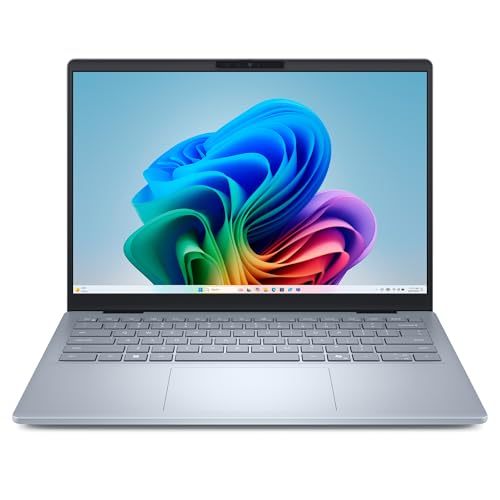
The Practical Windows Choice: Dell 14 Plus (Core Ultra 7 256V)
A Windows laptop with HDMI, USB-A and two USB-C ports, 16GB of memory and a 1TB drive. A fit for slicing and light CAD at a desk.
Dell lists the Core Ultra 7 256V with 8 cores, 16GB of LPDDR5X memory and a 1TB SSD, which is well above both slicers’ recommended lists. For a 3D printer, the ports are the draw: one Thunderbolt 4, one USB-C, one USB-A and a full-size HDMI 2.1 port, so a flash drive and a monitor plug in without a hub. There is no card reader on Dell’s list, so a printer that reads memory cards needs an adapter. The listing says Windows 11 Home, not S mode. Our Dell 14 Plus profile has the full spec check.
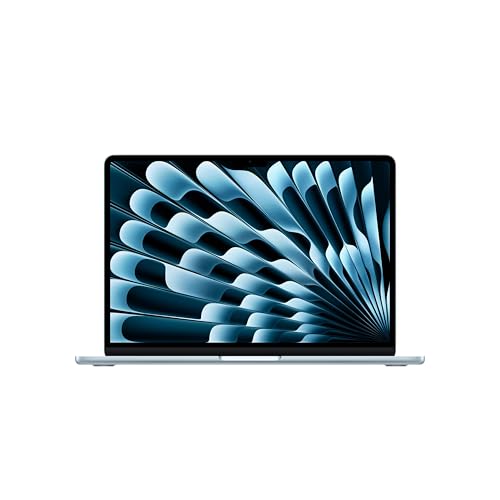
The Light Workbench Choice: MacBook Air 13 (M5)
A 2.7 lb Mac with 16GB of memory and a 512GB drive. A fit for slicing, and for makers whose printer and design tools have Mac versions.
Apple lists the M5 chip with a 10-core CPU, 16GB of unified memory and a 512GB SSD for this configuration, at 2.7 pounds. Both Prusa and UltiMaker list macOS support, and UltiMaker names Apple M-series chips. The catch is ports: two Thunderbolt 4 ports, MagSafe and a headphone jack, with no USB-A or card slot, so a small hub is likely. Skip it if a program you depend on is Windows only. See the MacBook Air 13 (M5) profile.
The Budget Slicing Choice: Acer Aspire Go 15
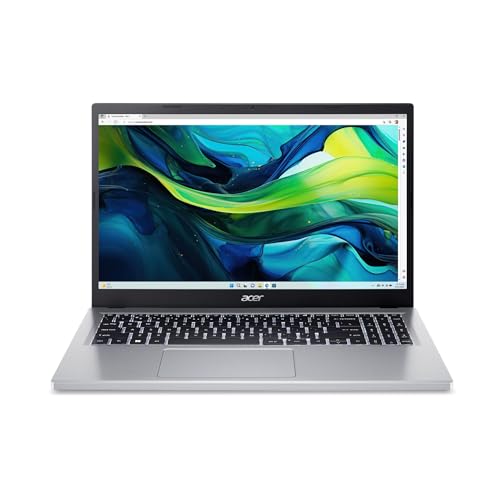
A low-cost 15.6-inch Windows laptop with 8GB of memory. A fit if the laptop only slices and talks to your printer.
The listing names an Intel Core i3-N305, 8GB of LPDDR5 memory and 128GB of storage. That meets the 8GB recommendation from Prusa and UltiMaker, and Cura’s recommended list names a Core i3 class chip. The N305 is a low-power chip, though, and we cannot say how it handles very large models, so keep expectations modest. Two cautions: the 128GB drive fills quickly if you keep many model files, and the listing ships in S mode, which you will probably need to leave to install a slicer. It is not suited to CAD work. Read the Acer Aspire Go 15 profile before you buy.
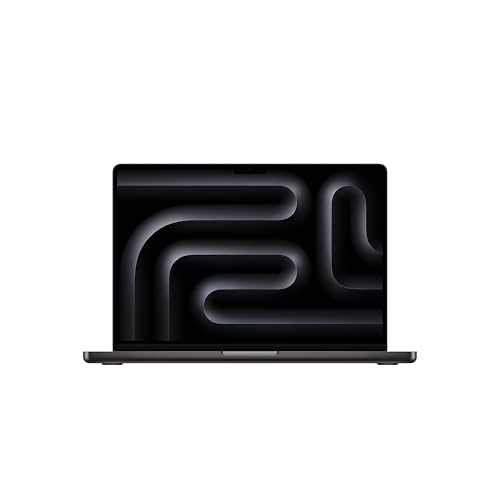
For Heavier Design Work: MacBook Pro 14 (M5)
A 14.2-inch Mac with an SD card slot, HDMI and three Thunderbolt 4 ports. A fit for makers who also design, render or edit video of their prints.
Apple lists a 10-core CPU, a 10-core GPU, 16GB of unified memory and a 512GB SSD for the base model, with an HDMI port, an SDXC slot and three Thunderbolt 4 ports. It is the pick when the laptop also edits photos or video of your prints or runs heavier design tools. Memory is part of the chip package and cannot be upgraded, and it still has no USB-A port. See our MacBook Pro 14 (M5) profile.
Before You Order
- Check your printer maker’s software and your CAD program for a version that runs on your operating system.
- Choose at least 8GB of RAM for slicing, 16GB if you also design.
- Match ports to how your printer receives files.
- If the listing says S mode, plan to switch out or confirm your software is in the Microsoft Store.
- Update the graphics driver before you install a slicer.
For a wider look at the field, see our ranking of nine laptops.
Sources
Frequently asked questions
What kind of laptop do I need for a 3D printer?
For slicing alone, not a powerful one. PrusaSlicer's help page lists 4 GB of RAM as the minimum, recommends 8 GB or more, and asks for a graphics chip that supports OpenGL 2.0 or newer. UltiMaker Cura lists similar numbers. Spend more only if you also plan to design your own models in CAD software.
Can a Chromebook run slicer software for a 3D printer?
It is hit or miss. UltiMaker says Cura is not available for Chrome OS. Prusa's page lists Chromebooks as supported only with a current Chrome OS that has Debian 10.7 or newer set up. If you want a simple path, a Windows or Mac laptop avoids the question.
How much RAM does a laptop for a 3D printer need?
Prusa and UltiMaker both list 4 GB as the minimum and 8 GB as the recommended amount for their slicers. Most laptops we cover have 16 GB, with the Acer Aspire Go 15 at 8 GB. Memory in all of our picks is soldered, so choose what you need at purchase.
Do I need a laptop with a dedicated graphics card for 3D printing?
Neither slicer's requirements page asks for one. PrusaSlicer only requires OpenGL 2.0 or newer, and UltiMaker lists OpenGL 4.1 as recommended for Cura's layer view. A discrete graphics card matters for gaming and some design or rendering work, not for slicing.
Will a laptop in Windows S mode work with my slicer?
Probably not until you switch out. Microsoft says S mode allows installing apps only from the Microsoft Store. Switching out is free but one-way. Check whether your slicer is offered through the Store, or plan to switch out before you install it.
Is a MacBook good for a 3D printer?
UltiMaker lists support for macOS 12 Monterey or higher on Intel and M-series Macs, and Prusa lists macOS support too. Check that your printer maker's own software has a Mac version, and that any CAD program you use does as well.