We earn a commission if you buy through our links, at no extra cost to you.
Best Laptop for Business Use in 2026
Picking a work laptop for a small business or remote job: Windows 11 Home vs Pro, encryption, sign-in, ports for docks, battery for travel, and warranty.
At a glance
For a small-business owner or remote worker who wants standard Windows software, the Dell 14 Plus is the safe pick, with HDMI and USB-A built in. The Microsoft Surface Laptop 13.8 adds a touchscreen at 2.96 lb, and the HP OmniBook 5 14 brings an OLED screen. Both use Windows on Arm, so confirm your business apps first.
A business laptop does not have to be a special category of machine. For a freelancer, a small-shop owner or someone who works from home, it is an ordinary laptop that has to do a few things reliably: run the software your work depends on, keep customer and financial files protected, plug into the monitor and accessories on your desk, last through a travel day, and come with support you can reach. Spec-sheet bragging rights matter far less than those five points.
This guide covers each one, starting with the question that trips up most buyers: Windows 11 Home or Pro. Then it matches models from our lineup to the kinds of work they suit. We do not test products ourselves. The specs come from Dell, Microsoft, HP, Apple and the other pages we opened, and anything we could not confirm is flagged. For a ranking of all nine laptops we cover, see our best laptops of 2026 comparison.
Windows 11 Home vs. Pro: What the Difference Means for Work
The two editions look the same on the desktop. The difference is in what the machine can join and manage. Microsoft’s Windows 11 Pro page says Pro supports capabilities such as BitLocker Drive Encryption and Remote Desktop, which it describes as missing from Home, and that Pro supports joining a domain and Microsoft Entra ID join. Windows Hello and passkeys are described there as ways to help secure sign-ins, with a note that authentication is hardware dependent.
In plain terms, here is how to decide:
- You are a sole proprietor working in a browser, Microsoft 365 or Google Workspace, and cloud accounting. Home is often enough.
- You connect to a client’s or employer’s managed network or need your laptop to join a company domain. Ask their IT team before you buy, because Pro may be required.
- You want to reach your desktop remotely with Remote Desktop. Microsoft lists it as a Pro capability, and its page does not say whether that covers hosting, connecting or both, so confirm it for your setup.
Two models in this guide, the Dell 14 Plus and the HP OmniBook 5 14, ship with Windows 11 Home on their Amazon listings. If your workplace requires Pro, ask IT about the upgrade path first rather than finding out after setup.
Encryption on Home and Pro
Customer lists, invoices and tax files deserve encryption. Microsoft says Device Encryption enables BitLocker encryption automatically for the operating system drive and fixed drives, and that it is supported on a wider range of devices, including those running Windows Home. It requires hardware such as a TPM, and it turns on automatically when you sign in with a Microsoft account or a work or school account, but not with a local account. To check, sign in as an administrator, open Settings, choose Privacy & security, then Device encryption. If the option is missing, the feature is unavailable on that device or you are signed in as a standard user. Full BitLocker Drive Encryption is listed for Pro, Enterprise and Education.
Encryption protects a lost laptop. It does not replace a backup, so keep a cloud or external-drive copy of anything you cannot recreate.
Sign-In: Webcam, Fingerprint and PIN
Fast, secure sign-in saves a few seconds many times a day. Microsoft says Windows Hello lets you sign in with facial recognition, a fingerprint or a PIN. Face sign-in requires a Hello-compatible camera, and Microsoft says it works with the PC’s infrared camera or an external infrared camera. Fingerprint sign-in requires a fingerprint reader, and a USB reader is an option if the laptop lacks one. A PIN has no special hardware requirement.
The Windows laptop pages we read do not all list an infrared camera or fingerprint reader, so check the manufacturer’s specs for the exact model before you count on either. The Apple laptops in this guide have Touch ID on the keyboard, according to Apple. For video calls, a good camera matters too. Apple lists a 12MP Center Stage camera on the MacBook Air and MacBook Pro.
Ports, Docks and Monitors
A desk setup usually needs a monitor, a keyboard, maybe a printer and a charger, and the question is how many cables you can run from one laptop.
- Dell 14 Plus. One Thunderbolt 4 port with DisplayPort 2.1 and Power Delivery, one USB-C port with DisplayPort 1.4 and Power Delivery, one USB-A and one full-size HDMI 2.1 port. You can run a monitor over HDMI, plug in a flash drive, and charge over either USB-C port without a hub. There is no card reader on Dell’s list.
- Surface Laptop 13.8. Microsoft lists two USB-C/USB4 ports, one USB-A, a headphone jack and Surface Connect. There is no HDMI or card reader, so a presenter needs an adapter.
- MacBook Air 13. Two Thunderbolt 4 ports, MagSafe 3 and a headphone jack. A compact hub fills the gaps.
- MacBook Pro 14. Three Thunderbolt 4 ports, HDMI, an SDXC slot and MagSafe 3. Apple states support for up to two external displays.
If you plan to use a dock, confirm it against the laptop’s ports and the monitor’s inputs before buying.
Battery for Travel Days, and What the FAA Says About Flying
Manufacturer battery ratings are measured under their own conditions, so treat them as ceilings. Microsoft lists up to 20 hours of local video playback and up to 16 hours of active web browsing for the 13.8-inch Surface Laptop. Apple rates the MacBook Air M5 at up to 18 hours of video streaming and up to 15 hours of wireless web use, and the MacBook Pro 14 at up to 24 hours of video streaming and 16 of wireless web. Dell’s page, as we read it, gives no hours for the 14 Plus configuration, and HP’s long battery claims apply to other configurations, so we quote neither.
For flying, the FAA says passengers can carry most rechargeable batteries and portable electronic devices, such as laptops, in carry-on baggage, within watt-hour limits. Rechargeable batteries of 0 to 100 Wh are allowed on passenger aircraft, 101 to 160 Wh need the air carrier’s approval, and larger ones are forbidden. Devices can be checked only if completely powered off and protected from accidental activation, but spare lithium batteries, including power banks and portable chargers, must be carried on and cannot be checked. Keep the laptop and power bank in your bag at your seat, and check your airline for stricter rules.
Warranty and Support
Business buyers usually care more about turnaround than about specs. Before you order, check who sells and ships the exact listing, whether the manufacturer’s warranty applies to that unit, and the return window. Laptops on Amazon are sometimes listed by third-party sellers. We did not confirm the terms of any manufacturer’s business support plan, and we do not describe any. If downtime would cost you real money, read the current terms on the manufacturer’s site and decide whether a plan is worth it.
Our Picks for Business Use
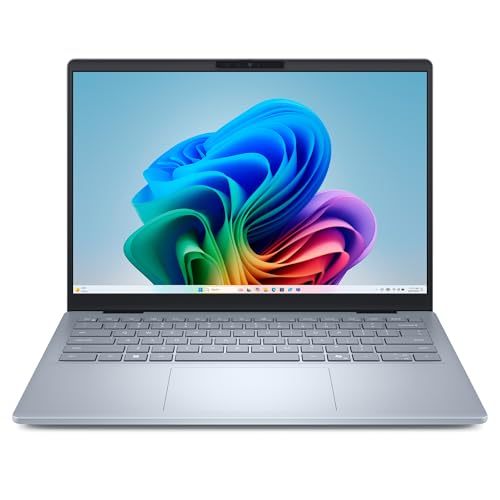
The Safe Windows Choice: Dell 14 Plus (Core Ultra 7 256V)
A Windows laptop with HDMI, USB-A and two USB-C ports, 16GB of memory and 1TB of storage. A fit for desk-based work with standard Windows software.
Dell lists a 14-inch 2560x1600 non-touch display, an 8-core Intel Core Ultra 7 256V, 16GB of soldered LPDDR5X memory, a 1TB SSD, Wi-Fi 7 and a 64 Wh battery. It is a standard Intel chip, so ordinary Windows software, older programs and common work tools run without emulation. At 3.42 lb it is heavier than the Surface, and the 300-nit screen is modest near a sunny window. The listing says Windows 11 Home, so find out whether you need Pro before you buy. Our Dell 14 Plus profile has the full spec check.
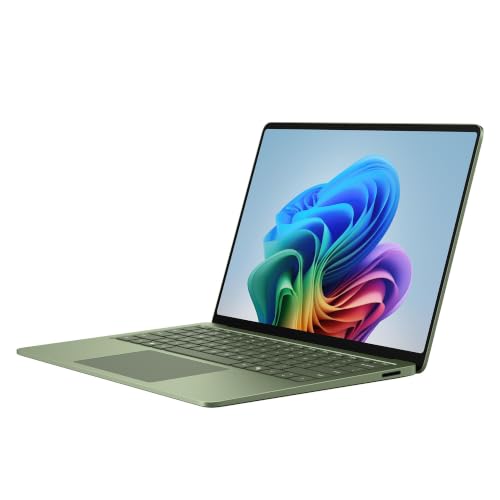
The Light, Touchscreen Choice: Microsoft Surface Laptop 13.8-inch (2026)
A light touchscreen Windows laptop with a long battery rating. A fit for consultants and travelers whose software works on Windows on Arm.
Microsoft lists a 13.8-inch touchscreen at 2304 x 1536 and 120 Hz, a weight of 2.96 lb and the battery ratings quoted above. The chip is an Arm design, so read Microsoft’s FAQ points: drivers and apps must be designed for a Windows 11 Arm-based PC, emulation covers many others, and some third-party antivirus programs cannot be installed unless they are made for Arm. Confirm your VPN, security software, printer drivers and line-of-business programs with their vendors. The Amazon title names the hardware, not the Windows edition, so confirm the edition on the listing. See our Surface Laptop 13.8 profile.
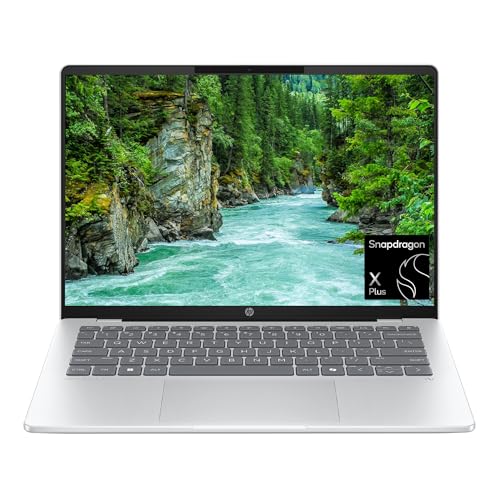
The Screen and Battery Choice: HP OmniBook 5 14 (Snapdragon X Plus)
A 14-inch OLED Windows laptop with an efficient Arm chip and 1TB of storage. A fit for email, documents and calls, once your apps are verified.
Notebookcheck lists 2.84 lb and a 59 Wh battery, and the listing is Windows 11 Home on Arm with 16GB and a 1TB SSD. It suits web, Office and video-call work. It is not meant for heavy video editing or 3D, and the same Arm caveats apply as for the Surface. Details are in our HP OmniBook 5 14 profile.
For Mac-Based Work: MacBook Air 13 (M5)
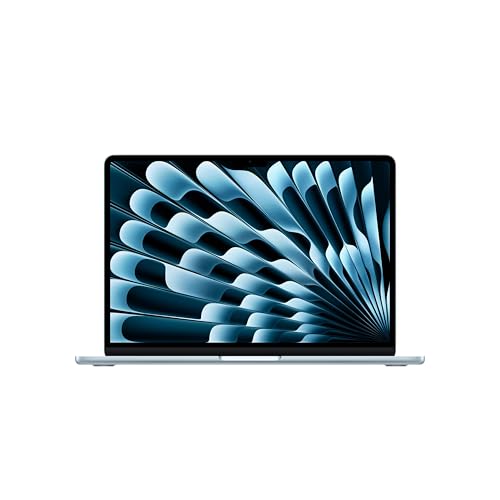
A 2.7 lb Mac with Touch ID, two Thunderbolt 4 ports and MagSafe. A fit for writers, consultants and anyone whose tools run on macOS.
Apple lists the M5 chip, 16GB of memory, a 512GB SSD, a 13.6-inch display and Wi-Fi 7. If your clients or industry software need Windows, skip it. Otherwise it is light and simple. See the MacBook Air 13 (M5) profile.
For Heavier Workloads: MacBook Pro 14 (M5)
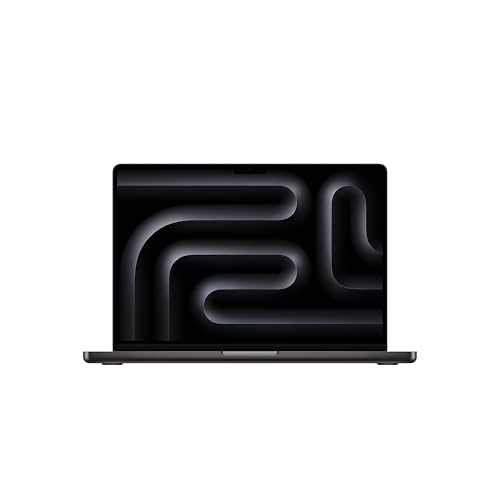
A 14.2-inch Mac with HDMI, an SD slot and three Thunderbolt 4 ports. A fit for video, audio, photo and design work.
Apple lists a Liquid Retina XDR display, a 72.4 Wh battery and a 70W adapter, at 3.4 lb. For business owners who present on projectors or edit footage, the built-in ports save adapters. Read the MacBook Pro 14 (M5) profile for the details.
Before You Order
- List the software you cannot work without and confirm it runs on the operating system and chip type.
- Decide on Home or Pro, and ask IT if a client or employer requires one.
- Match ports to your monitor, dock and accessories.
- Confirm sign-in hardware: camera, fingerprint reader or Touch ID.
- Check seller, warranty and return window on the exact listing.
For a wider comparison, see our ranking of nine laptops.
Sources
Frequently asked questions
Is Windows 11 Home enough for a small business?
It depends on what you need. Microsoft says Windows 11 Pro supports BitLocker Drive Encryption, Remote Desktop and joining a domain, which it lists as capabilities that Home lacks. A sole proprietor who works in a browser and Microsoft 365 may not need them. If an employer or client requires a managed device, ask their IT team before you buy.
Does Windows 11 Home encrypt my files?
Microsoft says Device Encryption, which turns on BitLocker encryption for the operating system drive and fixed drives, is supported on Windows Home. It requires hardware features such as a TPM, and it turns on automatically when you sign in with a Microsoft account or a work or school account. Full BitLocker management is listed for Pro, Enterprise and Education.
Can I carry a work laptop in my carry-on?
Yes, and the FAA recommends it. The FAA says passengers can carry laptops and similar devices in their carry-on baggage within the battery limits, and that spare lithium batteries, including power banks, must be carried on and cannot be checked. Check your airline too, since some set stricter rules.
Will my business software run on an Arm-based Windows laptop?
Maybe. Microsoft says drivers and apps work only if they are designed for a Windows 11 Arm-based PC, and that apps not built for Arm can run through emulation. VPN clients, security software, printer drivers and accounting tools are the ones to verify with the vendor before you buy a Snapdragon laptop.
What should I check about warranty when I buy a laptop on Amazon?
Check who sells and ships the exact listing, whether the manufacturer's warranty applies to that unit, and the return window. Laptops are sometimes listed by third-party sellers. We did not confirm the terms of any business support plan, so read the manufacturer's current terms before you rely on one.
How do I sign in quickly without weakening security?
Use a fingerprint, face sign-in or a PIN instead of a long password you type in public. Microsoft says face sign-in with Windows Hello requires a Hello-compatible infrared camera, and fingerprint sign-in requires a fingerprint reader. Confirm that hardware on the model you buy, because the listings we read do not all say.