We earn a commission if you buy through our links, at no extra cost to you.
Best Laptop for College Students in 2026
How to pick a laptop for college: software lists, weight, battery, Windows vs Mac vs Chromebook, education programs, dorm security, and five models that fit.
At a glance
For most college students, the MacBook Air 13 (M5) is the easy pick: 2.7 lb, with Apple rating the battery up to 18 hours of video streaming. Students who need Windows should look at the Dell 14 Plus, and those on a tight budget who work mostly in a browser can use the Acer Chromebook Plus 514.
Most college freshmen shop for a laptop in a hurry: a packing list shows up in July, a relative offers to chip in, and a dozen tabs of specs end up open at once. The good news is that the decision is narrower than it looks. A college laptop has to run the software your classes require, weigh little enough that you carry it every day, last through a stretch of lectures, and survive a dorm room. Everything else is a bonus.
This guide walks through those four tests in order, then matches models from our lineup to the kinds of students who tend to need them. We do not test products ourselves. The specs below come from Apple, Dell, Microsoft, Google and other pages we opened, and anything we could not confirm is flagged. For a ranking of all nine laptops we cover, see our best laptops of 2026 comparison.
Start With the Software List, Not the Spec Sheet
The most expensive mistake a freshman can make is buying a laptop that cannot run a required program. Before you compare anything, find two documents: your college’s technology or IT page, and the software list from your department or first-semester course syllabi. Many schools publish a recommended laptop spec, and some programs name an operating system outright.
Here is what that usually means in practice:
- Most majors live in a web browser, Microsoft 365 or Google Workspace, and a learning-management system. Any laptop in this guide handles that.
- Engineering, architecture and some design programs may require Windows-only software. SOLIDWORKS, for example, says on its own blog that it does not run natively on macOS. It describes Boot Camp as a way to start Windows on a Mac, and it says it cannot recommend virtualization over a traditional PC, citing limited functionality, high computing demands and graphics issues.
- Business, accounting and stats courses sometimes use Windows-only add-ins for Excel or industry tools. Ask your instructor before assuming the Mac version is identical.
- Film, music and photo majors often prefer a Mac with a better screen and more ports, and the department’s lab guidance usually says so.
If a document says “Windows required,” treat that as a hard requirement. If it says “any modern laptop,” you have the freedom to choose on weight, battery and comfort instead.
A Note on Arm-Based Windows Laptops
Two models in our lineup, the HP OmniBook 5 14 and the Microsoft Surface Laptop, use Snapdragon chips that are built on Arm rather than the Intel or AMD chips most Windows software was written for. Microsoft says drivers and apps work only if they are designed for a Windows 11 Arm-based PC, though many other apps run through emulation. For a student, that is fine for browsers and Office, and a question mark for a specialized lab program. Email your department the exact program name before you buy an Arm laptop.
Weight and Battery: The Two Numbers You Feel Every Day
You will carry the laptop across campus several times a day, often with a full bag. Weight in the manufacturer’s spec list is the number to compare, and the differences add up even when they look small. The MacBook Air 13 is listed by Apple at 2.7 lb. Microsoft lists the 13.8-inch Surface Laptop at 2.96 lb. The Dell 14 Plus starts at 3.42 lb per Dell, and the Chromebook Plus 514 is listed at 3.31 lb in a community database we cite in its profile. The 14-inch MacBook Pro is 3.4 lb according to Apple, and the Aspire Go 15, with its 15.6-inch screen, is around 3.77 lb per a spec sheet for a sibling model.
Battery claims deserve skepticism. Manufacturers measure under their own conditions: a set brightness, a looping video, a certain Wi-Fi setup. Apple rates the MacBook Air M5 at up to 18 hours of video streaming and up to 15 hours of wireless web use. Microsoft lists up to 20 hours of local video playback and up to 16 hours of active web browsing for the 13.8-inch Surface Laptop. Dell’s page, as we read it, gives no battery-life hours for the Dell 14 Plus configuration we picked, so we do not quote any.
A practical rule: assume a real day of lectures, note-taking and browsing will land well below the headline number, then ask whether the laptop still gets you to mid-afternoon. Bring the charger anyway. Lecture halls with a free outlet are the exception, not the rule.
Which Kind of Laptop? Windows, Mac or Chromebook
Mac. Simple, light and long-lived, with Touch ID for fast sign-in and AirDrop if you have an iPhone. The trade-offs are no Windows-only software and few ports on the Air, so plan on a small hub for projectors or flash drives.
Windows. The safest choice when a department names Windows software. A mid-range Intel model like the Dell 14 Plus runs ordinary Windows programs without emulation and has a useful port selection.
Chromebook. Easy on the budget and simple to maintain, but it only fits students whose coursework runs in a browser or on Android apps. Google’s policy page says ChromeOS devices receive 10 years of updates counted from the platform’s release, and it publishes an “Automatic updates until” date for each model. Its own advice is to check that date when you decide what to buy.
Our Picks for College
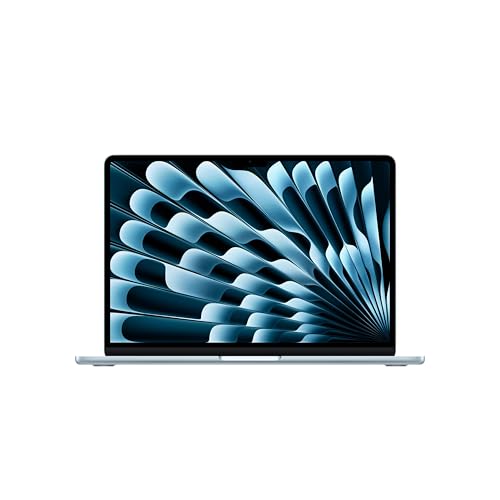
The Do-It-All Choice: MacBook Air 13 (M5)
A light 13.6-inch laptop with a long battery rating and Touch ID. A fit for students whose classes run on Mac or in a browser.
According to Apple, this configuration has the M5 chip, 16GB of unified memory and a 512GB SSD, a 13.6-inch Liquid Retina display, a 12MP Center Stage camera and Wi-Fi 7. It weighs 2.7 lb and has two Thunderbolt 4 ports, one MagSafe 3 port and a headphone jack, with no HDMI port or card slot. Because MagSafe handles charging, both USB-C ports stay free while it is plugged in.
It suits writers, researchers, business and humanities majors, and anyone who wants one laptop that fits in any bag. Skip it if your department requires Windows software or you want a touchscreen. Our MacBook Air 13 (M5) profile lists what to confirm on the listing.
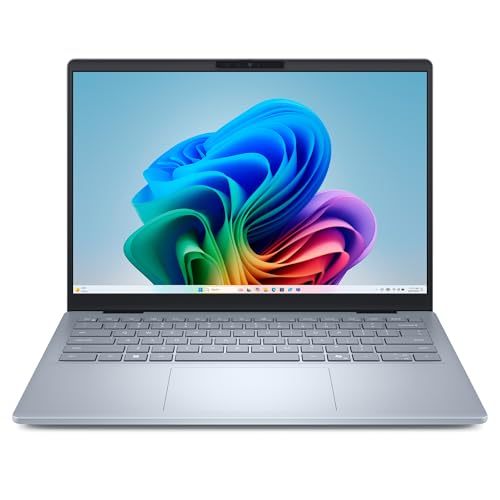
The Windows Choice: Dell 14 Plus (Core Ultra 7 256V)
A Windows laptop with a sharp 16:10 screen, 1TB of storage and HDMI plus USB-A built in. A fit for students whose programs need standard Windows.
Dell lists a 14-inch 2560x1600 non-touch display, 16GB of LPDDR5X memory (soldered, so it cannot be upgraded), a 1TB SSD, a Thunderbolt 4 port, a USB-C port, USB-A and full-size HDMI. It uses a standard Intel chip, so ordinary Windows software runs without emulation. At 3.42 lb it is heavier than the Air and the Surface Laptop, and the 300-nit screen is on the modest side near sunny windows.
The Amazon listing says Windows 11 Home. If your program or school requires Windows Pro, ask the IT desk what the upgrade path is first. Our Dell 14 Plus profile covers the configuration in detail.
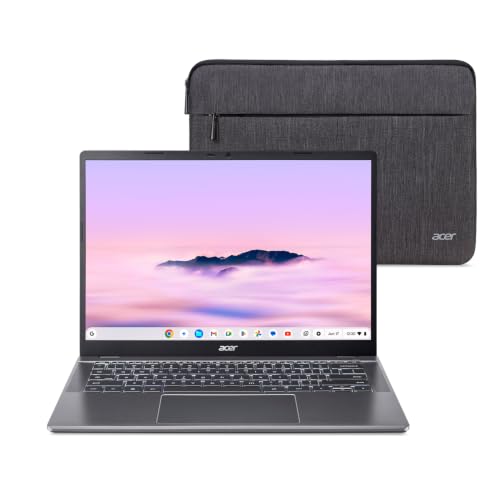
The Browser-First, Budget Choice: Acer Chromebook Plus 514
A 14-inch touchscreen Chromebook for web apps, Google Docs and video calls. A fit for students whose coursework lives in a browser.
The listing names a Core i3-1315U, 8GB of memory, a 256GB SSD and Wi-Fi 7. It runs ChromeOS, which handles the Chrome browser, web apps, Google Workspace and Android apps, but not the standard Windows or Mac versions of programs like Adobe Creative Cloud or SolidWorks. The 8GB of memory is soldered, which is worth remembering if you tend to keep dozens of tabs open.
Choose it only after you have confirmed that every program on your list has a web or Android version. Look up the model on Google’s Auto Update list before you buy. Our Chromebook Plus 514 profile explains what to check.
For Long Days Away From an Outlet: HP OmniBook 5 14 (Snapdragon X Plus)
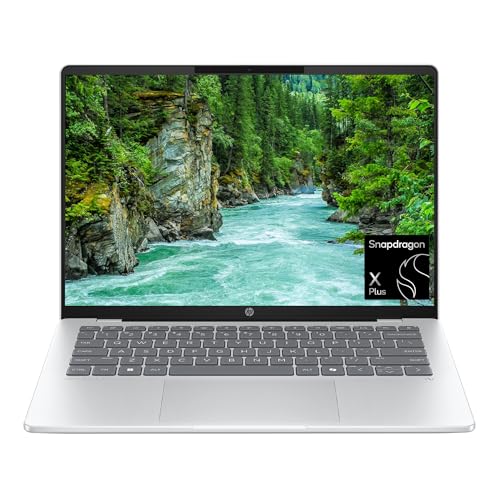
A 14-inch OLED Windows laptop with an Arm chip, aimed at long days and light software. A fit for students who verify their apps first.
Notebookcheck lists this laptop at 2.84 lb with a 59 Wh battery. HP’s long battery claims apply to other configurations, so we attach no hours to the Snapdragon X Plus X1P-42-100 version. It handles browsers, Microsoft 365 and video calls well, but it is an Arm machine, so confirm every required program first. Our HP OmniBook 5 14 profile goes through the compatibility questions.
For Creative and Heavier Majors: MacBook Pro 14 (M5)
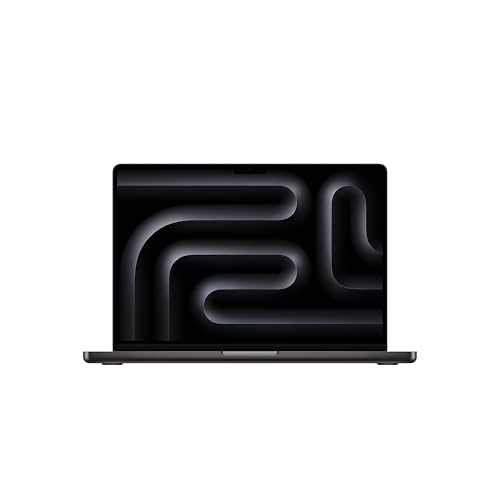
A 14.2-inch Mac with three Thunderbolt 4 ports, HDMI and an SD card slot. A fit for film, photo, music and design majors.
Apple lists a Liquid Retina XDR display, three Thunderbolt 4 ports, an HDMI port, an SDXC slot and a 70W adapter, with a battery rated up to 24 hours of video streaming. It is 3.4 lb, about 0.7 lb heavier than the Air. Most students do not need it. If your department’s lab work is video, photo or audio, it earns the weight. Read the MacBook Pro 14 (M5) profile before deciding.
Education Pricing, Without the Price Tags
Most manufacturers run education programs, and a few minutes of checking can matter. Apple’s US education page says current and newly accepted college students and their parents are eligible, along with faculty, staff and homeschool teachers, and that verification goes through UNiDAYS. The page we opened did not list the products covered or mention AppleCare+, so check the store for the current terms. Also look at your campus store and your school’s IT page, which sometimes list approved models or bundled support.
The Amazon listings in this guide are not education-store purchases. If you want a manufacturer education program, buy through that program. If you buy on Amazon, check who sells and ships the laptop, because laptops are sometimes listed by third-party sellers, and confirm the manufacturer warranty applies.
Dorm Security and Protection
Dorm rooms are shared spaces, and laptops are small. A few habits cost nothing:
- Turn on encryption. Microsoft says Device Encryption enables BitLocker encryption automatically for the operating system drive and fixed drives, and that it is supported on Windows Home. It turns on automatically when you sign in with a Microsoft account, and it needs hardware features such as a TPM. Check Settings, Privacy & security, Device encryption. Full BitLocker management is listed for Pro, Enterprise and Education.
- Use a strong sign-in. Touch ID on the Macs, or a Windows PIN, is faster than a password and keeps you from typing it in a crowded lecture hall.
- Back up. Use cloud storage or an external drive for coursework. The Aspire Go 15, with its small 128GB drive, makes this especially important.
- Think about coverage. A laptop that rides in a backpack every day is a candidate for an accidental-damage plan. We did not confirm the terms of any specific plan, so read the one you are offered and compare it with what your family’s homeowner’s or renter’s policy covers.
A Short Buying Checklist
- Read your school’s technology page and your department’s software list.
- Decide on the operating system from those documents, not from habit.
- Compare weight, then battery claims, using manufacturer pages.
- Check ports against what you plug in: projector, flash drive, monitor.
- Confirm the exact configuration, seller and return window on the listing.
Our full ranking of nine laptops shows where each model sits, and our Surface Laptop 13.8 profile covers a premium Windows touchscreen option for students whose software works on Arm.
Sources
Frequently asked questions
Should I buy my college laptop before I get to campus?
Wait until you have read your college's technology page and your department's software list. Many schools publish a recommended or minimum laptop spec, and some programs name a required operating system. If you already have that information, buying early lets you set up the laptop at home and sort out problems before move-in.
Do college students get discounts on laptops?
Apple's US education store says current and newly accepted college students and their parents are eligible, with verification handled through UNiDAYS. Other manufacturers run their own student programs, and campus stores sometimes list approved models. Terms change, so read the current offer page before you rely on it.
Can a Chromebook work for college?
It can if everything you need runs in a browser or as an Android app. A Chromebook cannot run the standard Windows or Mac versions of programs such as SolidWorks, so check the software list for your major first. It also has an Auto Update Expiration date, so look up the exact model on Google's list before you buy.
Do I need Windows for an engineering major?
Often, yes. SOLIDWORKS says its software does not run natively on macOS and does not recommend virtualization on a Mac. Ask your department which programs you will use and which operating system they support. An Arm-based Windows laptop is a separate question, so confirm each required program with your school before you buy.
How much battery life do I need for a day of classes?
Aim for a laptop that can get through your class schedule without a charger, and still carry the charger. Manufacturer ratings are produced under their own conditions and real use is usually lower. Apple rates the MacBook Air M5 at up to 18 hours of video streaming, and Microsoft lists up to 16 hours of active web browsing for the 13.8-inch Surface Laptop.
How do I protect my files if my laptop is lost or stolen?
Turn on disk encryption and back up to the cloud or an external drive. Microsoft says Device Encryption is supported on Windows Home and turns on automatically when you sign in with a Microsoft account, if the hardware meets its requirements. You can check Settings, Privacy & security, Device encryption.